

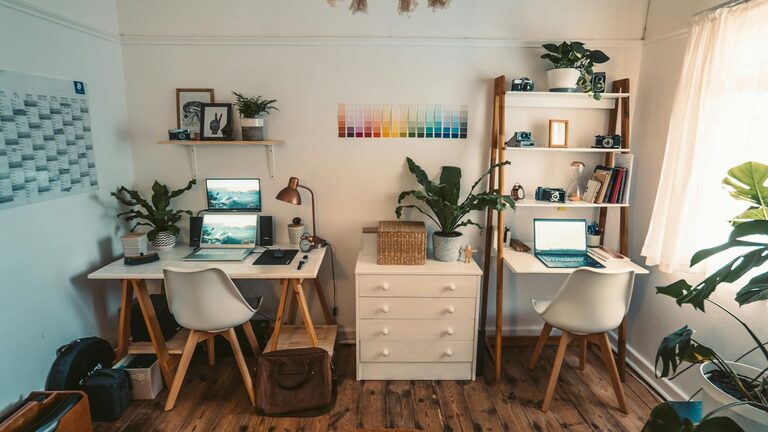
Creating a cozy and functional home office space is essential for anyone who works from home or spends a lot of time on personal projects. A well-designed workspace not only boosts productivity but also makes your workday more enjoyable and less stressful. Whether you have a dedicated room or just a small corner, these tips will help you set up a home office that feels inviting and supports your workflow.
1. Choose the Right Location
Selecting the ideal spot for your home office is the first step. Ideally, pick a quiet area away from distractions like the television or heavy foot traffic. Natural light is important — try to position your desk near a window to benefit from daylight, which can improve mood and focus.
2. Invest in a Comfortable Chair and Desk
Ergonomics matter a lot when it comes to comfort and productivity. Choose an office chair with good lumbar support and adjustable height to keep your posture healthy during long working hours. Pair it with a desk that fits your space and equipment needs. Standing desks or adjustable desks are also great options if you’re interested in varying your working positions.
3. Keep Your Space Organized
Clutter can hinder your focus, so organizing your home office is key. Use shelves, filing cabinets, or desk organizers to keep documents, stationery, and equipment in order. Labeling storage areas can simplify finding what you need. Consider cable organizers to keep cords tidy and prevent tangling.
4. Personalize Your Environment
Add touches that make your workspace welcoming. Plants, artwork, or photos can bring warmth and inspiration without creating distractions. Choose colors and decorations that you find calming or motivating. Even a simple scented candle or an essential oil diffuser can enhance the cozy atmosphere.
5. Optimize Lighting
Adequate lighting reduces eye strain and improves concentration. Besides natural light, invest in good task lighting like a desk lamp with adjustable brightness. Avoid harsh overhead fluorescent lights if possible, and position lamps to minimize glare on your computer screen.
6. Manage Noise Levels
If noise is a challenge in your environment, consider ways to minimize it. Noise-cancelling headphones can help you focus. Alternatively, white noise machines or soft background music may reduce distractions. Thick curtains or rugs can also absorb sound and add to the room’s comfort.
7. Create Zones for Different Tasks
If space allows, designate specific areas for different activities — such as a reading nook, a computer workstation, or a space for brainstorming and creative work. This helps your brain associate each spot with a purpose, improving efficiency.
8. Pay Attention to Technology
Make sure your workspace has easy access to power outlets for your computer, phone, and other devices. Reliable internet connection is a must for remote work and online meetings. Set up your equipment ergonomically, with your monitor at eye level and keyboard positioned to prevent wrist strain.
9. Take Breaks and Move Around
Design your office layout to encourage movement. Stand up, stretch, or take short walks regularly to avoid stiffness and fatigue. If you have space, a small area for light exercises or yoga can promote well-being.
10. Keep It Simple and Flexible
Lastly, avoid overcrowding your home office with unnecessary items. A clean, simple layout can reduce stress and help you focus. Keep flexibility in mind so you can adapt your space as your work needs change over time.
—
Creating a cozy and functional home office is about balancing comfort with practicality. With these tips, you can design a space where you enjoy working and feel motivated every day. Take the time to customize it according to your preferences, and your productivity and comfort will thank you for it!